What Happened
You imported your website URL into the Knowledge Base and noticed the source name shows something like:
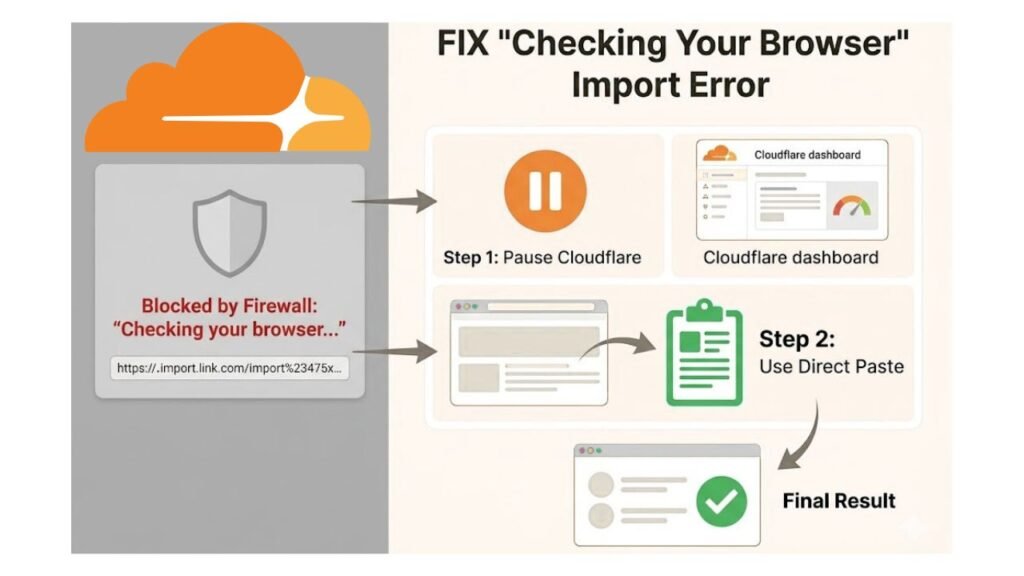
“Checking your browser before accessing. Just a moment…”
Or the import completed with only 1 chunk instead of the full page content you expected.
This is not a bug — and your import did not fail.
Why This Happens
TestimonialBoost uses a service called Jina AI to fetch and extract content from URLs you import. Jina visits the page like a browser would, reads the text, and converts it into clean content your AI can understand.
Some websites — especially those running Cloudflare protection — detect that Jina is an automated visitor and show it a security challenge page instead of your actual content. The challenge page itself gets imported as a source, which is why you see that message and very few chunks.
Common websites this affects:
- WordPress sites with Cloudflare enabled
- Sites using bot protection services
- Pages behind login walls or paywalls
Two Ways to Fix It
Option 1 — Temporarily Pause Cloudflare
If you manage the website you’re trying to import:
- Log into your Cloudflare dashboard
- Select your domain
- Click Quick Actions → Pause Cloudflare on Site
- Go back to TestimonialBoost → Knowledge Base
- Delete the failed source
- Re-import the URL
- Once the import shows completed — go back to Cloudflare and Enable it again
This gives Jina a clear path to your real page content.
Option 2 — Paste Your Content Directly
If pausing Cloudflare isn’t an option, or you want a faster solution:
- Open your website in a browser
- Select all the text you want to import (
Cmd + Aor highlight manually) - Copy it (
Cmd + C) - Go to TestimonialBoost → Knowledge Base
- Click Paste Text instead of Import from URL
- Give it a name (e.g. “Homepage Content”)
- Paste your content and click Save
This bypasses the URL scraping entirely and imports your content directly — no Cloudflare involved.
How to Tell If This Is Your Issue
| Symptom | Likely Cause |
|---|---|
| Source name contains “Checking your browser” | Cloudflare challenge page was scraped |
| Import completed but only 1 chunk | Very little content was extracted |
| Import failed with an error | Different issue — contact support |
| Import worked but content seems incomplete | Try re-importing with Cloudflare paused |
Still Having Trouble?
If neither option works for your specific URL, reach out to our support team and include:
- The URL you were trying to import
- The status shown in your Knowledge Base
- The number of chunks returned
We’ll help you get your content imported. 🚀
Last updated: May 2026 · TestimonialBoost Help Center